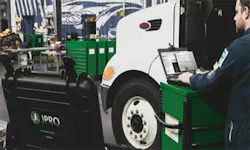
Learn about Noregon's 30-year history helping the industry maximize uptime and advance technician skillsets. OTHER Learn about Noregon's 30-year history helping the industry maximize uptime and advance technician skillsets. OTHER Tips for Purchasing a Diesel Diagnostic Laptop Whether you operate a repair facility, fleet, municipality, or other business that performs maintenance on commercial trucks, a diagnostic and repair solution is an essential tool you will purchase. A quality system helps a shop turnover trucks quicker, leading to increased uptime for their customers and improved profits for their business. It is vital you purchase reliable tools that provide the latest features and coverage so you never turn down a repair job, or risk unnecessary vehicle downtime, due to faulty or dated equipment in the shop. Below are a few tips to ensure your shop has the tools to operate at peak efficiency. Trust Your Hardware Even the best diagnostic and repair software will fail to meet its potential when loaded on a device with specifications that fall below the software’s requirements. Reputable software will include a list of required specs, so check those against the intended hardware before purchasing. In the trucking industry, the adage “time is money” could not be more accurate, therefore technicians cannot afford slow connection times due to old, or underequipped, technology. When you prepare to buy your diagnostic toolkit, strongly consider a package that includes the hardware selected to run the software optimally. It is highly recommended to consider kits that include new hardware, as opposed to refurbished models. Factory refurbished devices are typically pre-owned or pre-used machines that the manufacturer or retailer resets to its factory settings, though intermittent issues in the hardware often remain unnoticed. Due to how quickly computer hardware becomes obsolete, purchasing a refurbished model typically puts you a few years behind before the device ever reaches the shop floor. Diesel repair shops are no strangers to drops, spills, and other hazards that can ruin the average laptop. For this reason, we recommend stocking your shop with a diesel laptop that not only stands up to these accidents, but also delivers the performance necessary to run a variety of powerful shop applications like JPRO® Professional and NextStep® Repair Extended warranty periods are another incentive for purchasing new hardware. Shop environments are rough on electronic devices; the harsh nature of the business, coupled with the chemicals used daily in shops, means that accidents are inevitable. Even ruggedized diesel laptops are susceptible to malfunctioning, meaning you want the extended warranty to avoid unplanned expenses during the year. Noregon is one of the few Panasonic® Authorized Service Centers in the United States. Because of this rare distinction, the company offers a 3-year warranty on the new Panasonic Toughbooks included in their diagnostic and repair kits. This extended warranty gives customers peace of mind that if issues do arise, a company who emphasizes equipping shops with quality hardware and software will quickly manage their warranty claims. Purchase Reputable Software First, it is critical you select a diagnostic and repair solution that allows you to work on all the makes and models. Time wasted switching between specialized applications can affect a driver’s ability to make an on-time delivery and directly influences the number of vehicles you can service in any given timeframe. Find a solution with all makes and models coverage, quick connection times, an easy-to-use interface, and built-in educational tips that make your technicians more efficient. It is important for your application to help you manage everything from triage to completed repair, so built-in troubleshooting assistance and integration with detailed repair information helps maximize technician efficiency. Once you select the tool that fits the needs of your shop, purchase it from a reputable dealer. You may find companies or individuals selling pirated software as a legitimate option; avoid these opportunities. Not only is it illegal, but pirated software is typically a few versions behind, does not include free updates for the life of the subscription, and will not feature support options, such as Noregon’s free access to US-based product specialists available to JPRO subscribers. Purchasing from an untrustworthy source also increases your susceptibility to cybersecurity threats. Whether installed maliciously or unknowingly, your software may contain backdoor access that makes your device a threat vector for attacks. In addition to these concerns, you are also susceptible to missing out on repair work by using pirated software. Without the means to keep software updated, you are vulnerable to missing the features or coverage needed to work on new vehicles. Additionally, pirated software is often a wasted investment. Hardware is typically pre-owned and lacks a manufacturer’s warranty while software is prone to be locked or shut down if the device attempts to update via an internet connection. Conduct Research Unfortunately, buyer’s remorse is a common occurrence after purchasing certain diagnostic and repair solutions. With the best tool, you will feel like you made an investment; with the worst tool, you will feel like you wasted your business’s hard-earned money. The correct tool will expedite the diagnosis and repair process while educating technicians to improve efficiency. The wrong tool will promise all the features and coverage, but fail to deliver when it comes time to use the newly purchased tool. You are making a significant investment that is supposed to drive profits for your business, so we highly recommend performing research before you make a buying decision. Products like JPRO Professional allow you to test drive the solution before buying with a free demo mode; this empowers customers to ensure the software performs as expected before spending any money. Try out the product you wish to purchase and ask yourself the following questions: Is it user-friendly and intuitive? Does it cover the makes and models I routinely repair? Does it fit the needs of my employees, ranging from entry-level to master technicians? Are there consistent updates so I can work on the latest trucks? Once you are confident about the options you selected, ask for the opinion of experienced users. If the solution is reputable, it should not be difficult to locate a shop or fleet using the software. For example, you will find JPRO in the smallest repair facilities up to the largest fleets in the country, so asking around with colleagues or industry partners will allow you to hear honest opinions. Conclusion Recognize that your purchase of a diagnostic and repair solution is an investment. To get the most out of your investment, spend the time necessary to research and ask for feedback from experienced users. Choose an option that improves the longevity of your shop’s hardware so a laptop or tablet is not a commonly recurring expense. Purchase your tools from a reputable dealer and be sure you will have access to professional troubleshooting and support for the life of your software subscription. Utilize your new device to drive profits in your shop by working on more makes and models, while improving the speed and accuracy of repair work across your service center. Subscribe for more insights Get the latest tech tips, training, and updates delivered to your inbox. A Modern Approach to CAN Bus Diagnostics Why traditional CAN bus diagnostics fail and how modern diagnostics identify faults faster. Guide to CARB’s Clean Truck Check Learn about California’s Clean Truck Check program and how to stay compliant with new requirements. A Technician’s Guide to DPF Regens Learn the importance of DPF regens and the costs and consequences of running them unnecessarily. Small Town Shop Offers Big-Time Services Learn how Van Cleef Auto Parts uses TaaS to provide leading service, versatility, and customer satisfaction. This whitepaper explores the 2026 economic outlook, industry trends, and customer research findings. 10 Steps Before Clearing Fault Codes Learn the 10 steps to take before clearing a fault code to avoid recurring issues. Streamline the Diagnostic Process As shops take inventory of their diagnostic tools, it's vital to consider the importance of tech-to-tool ratios. Differences Between OE and SAE Fault Codes Learn the differences between OE and SAE fault codes and how JPRO can simplify fault code analysis. Ways to Recruit & Retain Skilled Truck Drivers Explore the most effective ways to recruit and retain the backbone of the American economy: truck drivers. ©Noregon. JPRO, NextStep, and TripVision are registered trademarks of Noregon. All Rights Reserved.