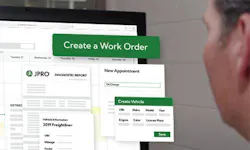
Learn about Noregon's 30-year history helping the industry maximize uptime and advance technician skillsets. OTHER Learn about Noregon's 30-year history helping the industry maximize uptime and advance technician skillsets. OTHER By automating mundane tasks associated with work orders, technicians can focus more on repairs and less on paperwork. Import a JPRO* scan to auto-populate vehicle details, fault codes, and more. Create canned jobs with built-in parts and labor estimates. Attach photos and customer communications for easy record-keeping. Import a JPRO Scan to auto-populate vehicle details, fault codes, and more. By automating this process, technicians save time and reduce errors (such as mistyped VINs). Shops can also add diagnostic reports to invoices as a professional service fee, creating an additional revenue stream. Benefits of Integrating JPRO Auto-fill details like mileage, VIN, and fault codes. Add details directly to a specific job for seamless bookkeeping. Automatically include vehicle details and diagnostic reports in a work order. Generate job descriptions based on detected faults. Manual vs. Canned Jobs Create canned jobs that have parts and labor estimates built in. In ShopPulse, you can create either manual jobs or canned jobs. Manual Jobs Fully customizable, with adjustable parameters, inputs, and scripts. Best for one-off or unique tasks. Less efficient for repetitive work and more prone to clerical errors. Canned Jobs Provide consistent pricing and faster job setup. Ideal for routine or repetitive tasks. While both options have value, canned jobs typically save the most time for frequently repeated work. Files and Attachments Attach photos, files, and customer communications for easy record-keeping. Attach photos, files, and customer communications directly to work orders for easier record-keeping and greater customer transparency. Add PNG, JPEG, and PDF files to estimates, work orders, and invoices. Send supporting documents (photos, JPRO scans, etc.) as email attachments. Keep all records in one system instead of texting or storing them elsewhere. How to Add Files Open the work order and navigate to the Files tab. View, download, upload, or delete files. Track upload details (time, uploader, etc.) and review all customer communication in the Communications tab. Estimates and Invoices Generate estimates and invoices at the click of a button. With ShopPulse, you can quickly create, manage, and share estimates and invoices throughout the repair process. Sync customer and invoice information with QuickBooks Online to help keep your accounting records accurate and organized. Start new estimates or work orders from multiple places in the app (Calendar, Work Order module, or General Settings). Share estimates and invoices with customers through the Communications tab to build transparency and trust. Autofill customer details for repeat customers. For new customers, import vehicle information from a JPRO diagnostic scan to avoid manual data entry. Ready to Experience ShopPulse? ShopPulse helps shops stay competitive, satisfy customers, and give technicians more time to focus on what matters most, repairs. Subscribe for more insights Get the latest tech tips, training, and updates delivered to your inbox. A Modern Approach to CAN Bus Diagnostics Why traditional CAN bus diagnostics fail and how modern diagnostics identify faults faster. Guide to CARB’s Clean Truck Check Learn about California’s Clean Truck Check program and how to stay compliant with new requirements. A Technician’s Guide to DPF Regens Learn the importance of DPF regens and the costs and consequences of running them unnecessarily. Small Town Shop Offers Big-Time Services Learn how Van Cleef Auto Parts uses TaaS to provide leading service, versatility, and customer satisfaction. This whitepaper explores the 2026 economic outlook, industry trends, and customer research findings. 10 Steps Before Clearing Fault Codes Learn the 10 steps to take before clearing a fault code to avoid recurring issues. Streamline the Diagnostic Process As shops take inventory of their diagnostic tools, it's vital to consider the importance of tech-to-tool ratios. Differences Between OE and SAE Fault Codes Learn the differences between OE and SAE fault codes and how JPRO can simplify fault code analysis. Ways to Recruit & Retain Skilled Truck Drivers Explore the most effective ways to recruit and retain the backbone of the American economy: truck drivers. ©Noregon. JPRO, NextStep, and TripVision are registered trademarks of Noregon. All Rights Reserved.