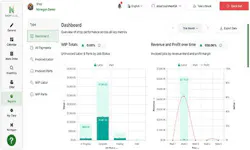
Learn about Noregon's 30-year history helping the industry maximize uptime and advance technician skillsets. OTHER Learn about Noregon's 30-year history helping the industry maximize uptime and advance technician skillsets. OTHER Get diagnostics tips, training updates, and product updates delivered to your inbox. The Hidden Cost of Inefficiency in Today’s Shop Many shops find themselves struggling to keep up with demand in an industry that continues to add on new regulations, technological changes, and economic upkeep. As trucks continue to come in, bays are full, and technicians attempt to balance repair work with clerical work. Yet, while everything looks good on paper, shop profitability feels capped, and it’s not necessarily an easy issue to fix. The issue itself isn’t typically a lack of available work, but rather jobs that are stalled due to manager approval, labor that isn’t billed appropriately, and parts decisions that are made without profitability in mind. When these aspects of a business are disconnected, problems tend to add up quickly, and profit slips through the cracks. This article focuses on how visibility across labor, parts, and profit is used to better drive daily decisions. Turning Labor Time Into Actionable Insight While labor time is one of the top priorities tracked in a shop, tracking alone doesn’t help to create real insight into whether that time is spent efficiently. With ShopPulse, managers and owners can make technicians’ labor times both visible and comparable. Here’s how to view time management as an admin: 1. Login to ShopPulse with your admin credentials 2. Go to “General” 3. View the “Time Management” selection for Admin 4. Click into the data of any technician and view the actual hours they worked, billed hours, and productivity Here’s how to view time management as a technician: 1. Login to ShopPulse with your user credentials 2. Go to “My Time” 3. Then view “Timesheet” to see your full week of worked hours, billed hours, and productivity 4. Technicians can also view your “Timecard” to see clock in/out and break times For a full view of how technicians can use ShopPulse to clock in and out, view their timesheet and timecard, and managers can use this data to support overall time management efforts, view our interactive demo below. With your shop or fleet aware of these hours, it’s important to ask yourselves, “What do I do with this information?” and the answer is quite simple. With ShopPulse, you’re able to make labor hours visible, comparable, and best of all, actionable. When time is tied to specific jobs, you’ll be able to identify certain patterns, for example: Job delays due to repair times taking longer than anticipated Bottlenecks that routinely slow down the process Identify work orders with unbilled hours This opens the conversation up to understanding where time is actually being spent and how to better alleviate any challenges. Aligning Parts Pricing with Actual Work Performed In a time where repairs are becoming more complex than ever before, simple pricing setups no longer work. When technician time and repair types vary, ShopPulse parts pricing stays consistent by setting up a parts pricing matrix through its multiplier model. As a parts price increases, the markup percentage decreases, leading to balanced margins. Once this is set up, ShopPulse lets credentialed users: Set up a parts pricing matrix tailored to typical job time and/or market Clone and customize sections of the pricing matrix Apply discounts and credits as needed Businesses can avoid guesswork and pricing decisions can become operational, rather than a method of overcorrecting. For a deeper overview of how to set parts margins that reflect repair complexity and shop practices, we’ve put together a guide here . Operational Reporting That Drives Day-to-Day Decisions Shops need reporting that allows them to connect time, labor, and pricing into a clear view. With the use of ShopPulse’s dashboard, you’re able to easily see where labor hours are going and what is causing common bottlenecks. When it comes to reporting, there’s no need to have a ton of reports. Focus on a few comprehensive reports that give you the information you need to make quick, impactful decisions. With the reporting feature in ShopPulse, you can: Follow up on work orders Adjust scheduling needs Tying it All Together When it comes to improving your business, it’s important to identify any shortcomings, whether it’s a lack of consistency, or a lack of effective resources. A Modern Approach to CAN Bus Diagnostics Why traditional CAN bus diagnostics fail and how modern diagnostics identify faults faster. Guide to CARB’s Clean Truck Check Learn about California’s Clean Truck Check program and how to stay compliant with new requirements. A Technician’s Guide to DPF Regens Learn the importance of DPF regens and the costs and consequences of running them unnecessarily. Small Town Shop Offers Big-Time Services Learn how Van Cleef Auto Parts uses TaaS to provide leading service, versatility, and customer satisfaction. This whitepaper explores the 2026 economic outlook, industry trends, and customer research findings. 10 Steps Before Clearing Fault Codes Learn the 10 steps to take before clearing a fault code to avoid recurring issues. Streamline the Diagnostic Process As shops take inventory of their diagnostic tools, it's vital to consider the importance of tech-to-tool ratios. Differences Between OE and SAE Fault Codes Learn the differences between OE and SAE fault codes and how JPRO can simplify fault code analysis. Ways to Recruit & Retain Skilled Truck Drivers Explore the most effective ways to recruit and retain the backbone of the American economy: truck drivers. ©Noregon. JPRO, NextStep, and TripVision are registered trademarks of Noregon. All Rights Reserved.