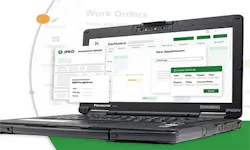
Learn about Noregon's 30-year history helping the industry maximize uptime and advance technician skillsets. OTHER Learn about Noregon's 30-year history helping the industry maximize uptime and advance technician skillsets. OTHER Get diagnostics tips, training updates, and product updates delivered to your inbox. As a shop owner, there’s nothing worse than having a popular vehicle part out of stock and having to inform customers of a lengthy wait time. With shop management tools on the rise, you can prevent these issues by automating inventory management. Continue reading for 5 ways shop management tools like ShopPulse can improve your parts and labor management workflow. 1. Automate Inventory Management Not only can inventory issues slow down your shop, but it can also slow down customers! ShopPulse helps to mitigate these issues by helping you manage parts in real time. Real-Time Notifications: Get alerts when requests come in with the notifications bell in ShopPulse, including part name, the requester’s name, and related work order information. Inventory Overview: Instantly get a snapshot of inventory, including financial details. Easy Part Lookup: Easily search and find your parts by number or name. Part Management Support: Manually add individual parts or use mass import/export. Double-click any item to view/edit details or company information. 2. Quickly View Financial Details By being able to quickly view financial details such as total cost and value of parts on hand, you can ensure you are making smart business decisions while also providing customers with detailed and accurate estimates that allow them to receive a transparent and accurate service experience. Reduce errors and pricing inconsistencies. Present customers with clear and transparent estimates. Speed up approval processes. 3. Streamline Job & Labor Management To streamline your job and labor management, you can configure shop management software to match the precise needs of your business. Job-Based Labor Rates: Save commonly used labor rates for faster quoting and invoicing. Canned Jobs: Choose from pre-built job templates that include estimated parts and labor. Inventory Updates: When a job is added to a work order, inventory will automatically update. Easy Search Process: Easily find the location of all parts and inventory. 4. Improve Communication & Workflow Keeping customers informed and your team on the same page is key to building trust and maximizing work efficiency. Easily update work orders with photos, notes, and status changes. Generate and print invoices with just a few clicks. Transfer completed invoice information to QuickBooks Online without manual re-entry. 5. Set the Right Parts Margin A parts pricing matrix is a structured pricing system used by shops to markup diesel parts based on cost, vehicle component, and tier. When it comes to improving parts and workflow management, one of the most important aspects to consider is setting the right parts margin, so that you can showcase consistency with all customers and keep shop profits in mind. For ways on how to set the right parts matrix, view our dedicated blog where we dive into the details of a parts pricing matrix, and cover the exceptions, such as how to handle customer discounts and credits. Tying it All Together A Modern Approach to CAN Bus Diagnostics Why traditional CAN bus diagnostics fail and how modern diagnostics identify faults faster. Guide to CARB’s Clean Truck Check Learn about California’s Clean Truck Check program and how to stay compliant with new requirements. A Technician’s Guide to DPF Regens Learn the importance of DPF regens and the costs and consequences of running them unnecessarily. Small Town Shop Offers Big-Time Services Learn how Van Cleef Auto Parts uses TaaS to provide leading service, versatility, and customer satisfaction. This whitepaper explores the 2026 economic outlook, industry trends, and customer research findings. 10 Steps Before Clearing Fault Codes Learn the 10 steps to take before clearing a fault code to avoid recurring issues. Streamline the Diagnostic Process As shops take inventory of their diagnostic tools, it's vital to consider the importance of tech-to-tool ratios. Differences Between OE and SAE Fault Codes Learn the differences between OE and SAE fault codes and how JPRO can simplify fault code analysis. Ways to Recruit & Retain Skilled Truck Drivers Explore the most effective ways to recruit and retain the backbone of the American economy: truck drivers. ©Noregon. JPRO, NextStep, and TripVision are registered trademarks of Noregon. All Rights Reserved.